Chưa có sản phẩm trong giỏ hàng.
Tin tức
How Do Fingerprint Smart Locks Work? Bosch Smart Lock
A fingerprint smart lock is an electronic door lock that uses biometric recognition to verify a person’s fingerprint before granting access. Instead of relying solely on traditional keys, it allows authorized users to unlock a door by placing a registered finger on a fingerprint sensor.
Fingerprint technology has become increasingly popular in residential security because it combines convenient keyless access with controlled entry. However, not all fingerprint locks operate in the same way. Their security, recognition speed, locking mechanisms, and additional features vary depending on the model.
This guide explains how fingerprint smart locks work, the technology behind fingerprint recognition, their advantages and limitations, and what to consider when choosing one for your home.

Mục lục bài viết
- 1 What Is a Fingerprint Smart Lock
- 2 How Do Fingerprint Smart Locks Work
- 3 What Technology Do Fingerprint Smart Locks Use
- 4 Are Fingerprint Smart Locks Safe
- 5 Fingerprint Authentication Security
- 6 How Do Fingerprint Smart Locks Work
- 7 What Are the Advantages of Fingerprint Smart Door Locks
- 8 What Are the Disadvantages of Fingerprint Smart Locks
- 9 How to Choose the Best Fingerprint Smart Lock for Your Home
- 10 Are Fingerprint Smart Locks Suitable for Every Door
- 11 Can Fingerprint Smart Locks Work Without Wi-Fi
- 12 Best Bosch Fingerprint Smart Locks for Your Home
- 13 What Happens If a Fingerprint Smart Lock Runs Out of Battery
- 14 Where to Buy Fingerprint Smart Locks
- 15 Frequently Asked Questions About Fingerprint Smart Locks
What Is a Fingerprint Smart Lock
A fingerprint smart lock is a biometric electronic locking device that identifies authorized users through their fingerprints. It typically combines a fingerprint sensor, electronic control system, locking mechanism, and power supply in a single door lock.
Unlike a traditional mechanical lock, which requires a physical key, a fingerprint smart door lock verifies biometric information before allowing the door to be opened.
Depending on the model, a smart fingerprint door lock may also support additional access methods, including PIN codes, RFID cards, mechanical backup keys, or mobile applications.
Fingerprint authentication is the defining feature, but the overall functionality depends on the lock’s hardware and software configuration.

How Do Fingerprint Smart Locks Work
Fingerprint smart locks work by scanning a user’s fingerprint, comparing its distinctive features with previously registered biometric data, and activating the unlocking mechanism when a valid match is detected.
The process generally involves five stages.
Fingerprint Registration
Before using fingerprint access, an authorized person must register their fingerprint in the lock’s system.
During enrollment, the sensor captures fingerprint information and processes identifying characteristics, such as ridge patterns and minutiae points.
The system then creates a biometric template for future verification.
A fingerprint template is a digital representation of selected fingerprint characteristics rather than necessarily a conventional photograph of the fingerprint. How this information is stored and protected depends on the lock’s design.

Fingerprint Scanning
When someone places a finger on the sensor, the fingerprint recognition door lock captures biometric information.
Different fingerprint sensors use different technologies to detect fingerprint characteristics.
For accurate recognition, the finger should be positioned correctly, and the sensor surface should be reasonably clean.
Biometric Verification
The lock’s processing system compares the scanned fingerprint information with the registered templates.
If the fingerprint meets the system’s matching requirements, authentication succeeds.
If the fingerprint is not recognized, the system rejects the attempt.
Recognition accuracy can be affected by sensor quality, enrollment quality, finger condition, and the matching algorithm.
Electronic Unlocking
After successful authentication, the electronic control system authorizes the locking mechanism to release.
Depending on the model, this may involve operating an internal motor, clutch, or other electromechanical component. The user can then open the door according to the lock’s design.
Some locks require the user to turn a lever or push and pull the handle, while others incorporate automated unlocking mechanisms.
Door Relocking
After the door has been opened and closed, the lock must return to its secured state.
Some fingerprint electronic door locks support automatic locking functions, while others require a specific user action or mechanical operation. Automatic locking should not be assumed for every model. The actual locking behavior depends on the product’s mechanism, settings, and installation.

What Technology Do Fingerprint Smart Locks Use
A biometric smart door lock relies on a fingerprint sensor and recognition algorithm to authenticate users. Several fingerprint sensing technologies are used in biometric security systems.
Optical Fingerprint Sensors
Optical sensors capture fingerprint patterns using light-based imaging. The system analyzes the captured information to identify fingerprint characteristics. Recognition performance depends on the sensor’s design, image quality, and processing technology.
Capacitive Fingerprint Sensors
Capacitive sensors use electrical measurements to detect differences associated with fingerprint ridges and valleys. These measurements are converted into data that can be analyzed for biometric matching.Capacitive fingerprint recognition is commonly associated with compact electronic devices and access-control applications.
Semiconductor and Advanced Biometric Sensors
The term semiconductor fingerprint sensor is sometimes used in smart lock product descriptions. However, it is a broad term and does not independently establish the sensor’s accuracy or security level.
Some advanced fingerprint systems may incorporate additional sensing or anti-spoofing technologies. The presence and effectiveness of these features must be verified for the specific product.
When comparing locks, the sensor type should be considered alongside recognition accuracy, processing performance, and the security of the complete locking system.
Are Fingerprint Smart Locks Safe
Yes, a smart lock can provide a high level of residential access security when it uses reliable biometric authentication, a robust locking mechanism, and proper installation. However, fingerprint recognition alone does not guarantee that a lock is secure.
Several factors influence its actual protection level.
Fingerprint Authentication Security
Fingerprint verification helps restrict access to enrolled users. Because fingerprints are biometric characteristics, users do not need to remember a password or carry a physical key for everyday fingerprint access.
Nevertheless, biometric systems are not infallible. Recognition errors, presentation attacks, and sensor limitations remain possible, depending on the technology and security measures used.
Physical Locking Mechanism
The quality of the lock body, cylinder, bolts, and door hardware is equally important. A sophisticated fingerprint sensor cannot compensate for an unsuitable or poorly installed mechanical locking system.
Electronic Security Features
Depending on the model, a fingerprint digital door lock may include features such as:
- Incorrect-attempt alerts or temporary lockouts
- Tamper alarms
- Low-battery warnings
- Privacy or administrator access controls
- Emergency unlocking methods
- Automatic locking functions
These features should be confirmed in the manufacturer’s specifications rather than assumed to be standard.
Proper Installation
Even a well-designed fingerprint entry door lock can perform poorly if installed on an incompatible door.Door thickness, lock-body dimensions, frame alignment, and installation quality all influence reliable operation.
For this reason, both electronic and mechanical security should be considered when evaluating a fingerprint smart lock.
How Do Fingerprint Smart Locks Work
Fingerprint smart locks work by scanning a user’s fingerprint, comparing it with previously registered biometric data, and electronically unlocking the door when a match is confirmed. This process typically takes only a short time and eliminates the need to use a physical key for everyday access.
A fingerprint smart door lock combines a biometric sensor, processing chip, memory system, electronic control unit, and mechanical locking mechanism. These components work together through five main steps.
Step 1: Registering an Authorized Fingerprint
Before using the lock, the homeowner must register one or more fingerprints.
During registration, the fingerprint sensor captures the unique ridge patterns and identifying characteristics of a finger. The system processes this information into a digital biometric template and stores it for future authentication.
Depending on the model, multiple fingerprints can be registered for family members or other authorized users.
Step 2: Scanning the Fingerprint
When a user places their finger on the sensor, the fingerprint recognition door lock captures biometric information.
The sensor detects distinguishing fingerprint features, such as ridge patterns and minutiae points. These characteristics help the system differentiate registered users from unrecognized individuals.
The scanning process may use optical, capacitive, or other fingerprint sensing technologies, depending on the lock’s design.
Step 3: Verifying the Fingerprint
After scanning, the lock’s processing chip analyzes the captured fingerprint data and compares it with stored biometric templates.
If the system determines that the fingerprint matches an authorized record within its acceptance threshold, authentication succeeds.
If no valid match is found, the lock remains secured. Some models also provide an alert or temporarily restrict access after repeated unsuccessful attempts.
Step 4: Activating the Unlocking Mechanism
Once the fingerprint is verified, the electronic control unit sends a signal to the lock’s internal unlocking mechanism.
Depending on the model, this mechanism may activate a motor, release an electronic clutch, or disengage a locking component.
The user can then open the door according to the handle design:
- Lever-handle smart locks: The user presses down the handle after successful authentication.
- Push-pull smart locks: The user pushes or pulls the handle after the lock authorizes access.
- Fully automatic smart locks: A motorized mechanism may retract the latch or bolts automatically after successful authentication.
The exact unlocking sequence depends on the model’s mechanical and electronic configuration.
Step 5: Securing the Door After Entry
After the user enters and closes the door, the fingerprint smart lock must return to its secured state.
Some smart fingerprint door locks feature automatic locking mechanisms that engage when the door closes or after a configured delay. Other models require the user to operate the handle or activate the locking function manually.
The locking mechanism and door alignment must function correctly to ensure that the door is properly secured.
In short, a fingerprint smart lock follows a straightforward process: fingerprint scanning → biometric verification → electronic unlocking → door opening → relocking. Although this sequence is similar across many fingerprint electronic door locks, recognition technology, operating speed, and automatic locking capabilities vary between models.

What Are the Advantages of Fingerprint Smart Door Locks
Fingerprint-enabled locks offer several practical benefits for everyday residential access.
Convenient Keyless Entry
A fingerprint keyless door lock allows registered users to enter without searching for a traditional key. This is particularly useful for households with frequent daily entry and exit.
Personalized Access Control
Authorized fingerprints can be enrolled according to the lock’s user-management capabilities. Some models allow administrators to add or remove registered users, making access management more flexible.
Multiple Unlocking Methods
Many smart locks with fingerprint recognition provide alternative unlocking options. Depending on the model, these may include PIN codes, access cards, mechanical keys, or app-based controls.
Having more than one authorized access method can be useful when fingerprint recognition is temporarily unsuccessful.
Modern Door Design
Fingerprint locks are available in different designs, including traditional lever-handle models and modern push-pull configurations. This gives homeowners more flexibility when matching door hardware with interior design.
Reduced Dependence on Physical Keys
Fingerprint authentication reduces the need to carry a key during normal use.
However, if the model includes a mechanical backup key, it should still be stored securely and remain accessible when needed.
What Are the Disadvantages of Fingerprint Smart Locks
Despite their convenience, fingerprint locks have limitations that should be understood before installation.
Recognition can occasionally fail. Wet, dirty, damaged, or incorrectly positioned fingers may affect scanning performance. Sensor quality and enrollment also influence recognition reliability
Electronic components require power. Most residential fingerprint locks rely on batteries or another power source. Users need to monitor battery warnings and understand the available emergency access options
Installation compatibility varies. Not every fingerprint door lock for home use is suitable for every wooden, metal, aluminum, or glass door
Purchase and maintenance costs can be higher. Compared with basic mechanical locks, electronic locks may require a larger initial investment and additional maintenance considerations
These limitations do not necessarily make fingerprint locks unsuitable for residential use. They emphasize the importance of choosing an appropriate model and following its operating instructions.

Fingerprint Smart Lock vs. Traditional Door Lock
A fingerprint smart lock and a traditional mechanical lock serve the same fundamental purpose: controlling access through a door. However, their authentication and operating mechanisms differ.
| Feature | Fingerprint Smart Lock | Traditional Mechanical Lock |
| Primary access method | Biometric fingerprint verification | Physical key |
| Keyless entry | Supported through fingerprint access | Generally not available |
| Electronic components | Yes | Usually no |
| Power requirements | Requires an electronic power source | Typically none |
| User access management | Available depending on model | Managed through physical keys |
| Backup access | Depends on model | Usually another physical key |
| Installation | Must meet electronic and mechanical requirements | Depends on mechanical hardware |
| Maintenance | Battery and hardware maintenance | Primarily mechanical maintenance |
Neither type is automatically more secure in every situation. A fingerprint lock offers greater convenience and potentially more flexible access management, while a mechanical lock generally has a simpler operating system.
The appropriate choice depends on the user’s security requirements, daily habits, budget, and door configuration.
How to Choose the Best Fingerprint Smart Lock for Your Home
The best fingerprint smart lock for your home is one that combines reliable biometric recognition, suitable mechanical security, convenient operation, and compatibility with your door.
Before purchasing, consider the following factors.
Fingerprint Recognition Performance
Look for a lock with a reliable fingerprint sensor and clearly documented authentication features. Recognition speed is useful, but consistent accuracy and secure user management are equally important.
Door Type and Installation Requirements
Check the manufacturer’s supported door thickness, required installation dimensions, opening direction, and lock-body specifications.
If replacing an existing lock, determine whether the new product can use the current installation openings or requires modification.

Locking Mechanism and Handle Design
Fingerprint locks are available in several configurations. Lever-handle models provide a familiar opening action, while push-pull models offer a different operating experience. Neither design is inherently safer simply because of its handle shape.
Backup Unlocking Options
Review the lock’s alternative access methods and emergency procedures. These may be particularly important if the battery becomes depleted or the fingerprint sensor cannot recognize an enrolled finger.
Battery Life and Maintenance
Consider battery type, low-battery alerts, replacement procedures, and any emergency power options. Battery life varies with usage frequency, environmental conditions, and model configuration.
Warranty and Technical Support
A reliable supplier should provide clear product information, installation guidance, warranty terms, and after-sales support.
Professional installation can also help prevent problems related to door alignment and incompatible hardware.

Are Fingerprint Smart Locks Suitable for Every Door
No. Fingerprint smart locks are not universally compatible with every door. Suitability depends on the lock’s dimensions, mechanical configuration, and the door’s construction.
For wooden doors, important factors include door thickness, the available mounting area, and the existing mortise or lock-body arrangement
For aluminum-framed doors, the narrow frame profile may restrict the choice of compatible products
Metal doors can require additional assessment of internal construction and installation openings
Glass doors often need specifically designed hardware rather than a conventional mortise-style fingerprint lock
Before selecting a model, it is advisable to confirm installation requirements with a qualified supplier or installer

Can Fingerprint Smart Locks Work Without Wi-Fi
Yes. Many fingerprint smart locks can authenticate registered fingerprints and operate their locking mechanisms without a Wi-Fi connection.
Fingerprint verification is often handled locally by the lock’s electronic system.
Wi-Fi, Bluetooth, or a compatible gateway may be used for additional functions such as remote access, notifications, or connected-home integration, depending on the model.
A lock should not be described as supporting remote control unless that capability is confirmed in its specifications.
Best Bosch Fingerprint Smart Locks for Your Home
Below are six Bosch fingerprint smart door locks available at Bosch Smart Lock.
Bosch ID20
The Bosch ID20 fingerprint smart lock combines a traditional lever handle with electronic access control, making it suitable for homeowners who want to upgrade from a mechanical lock without changing their usual door-opening habits.
The model supports fingerprint recognition, PIN codes, RFID cards, mechanical keys, and Wi-Fi app access. It also includes a 32-character virtual password function, low-battery warnings, and alarms for repeated incorrect entries or tampering.
With its familiar handle design and multiple unlocking options, Bosch ID20 is worth considering for residential doors and offices where convenient daily access is a priority.

Bosch ID30
The Bosch ID30 fingerprint door lock is a practical choice for households that prefer a conventional lever handle with integrated biometric technology.
Its fingerprint sensor is positioned directly on the handle, allowing users to authenticate while reaching for the door. The lock also supports PIN codes, RFID cards, and mechanical backup keys, with Wi-Fi app functionality available as an optional version.
Bosch ID30 is offered in Black, Gold, and Gray finishes. Its combination of familiar operation, fingerprint access, and flexible appearance makes it particularly appealing for apartments, family homes, and office entrances.

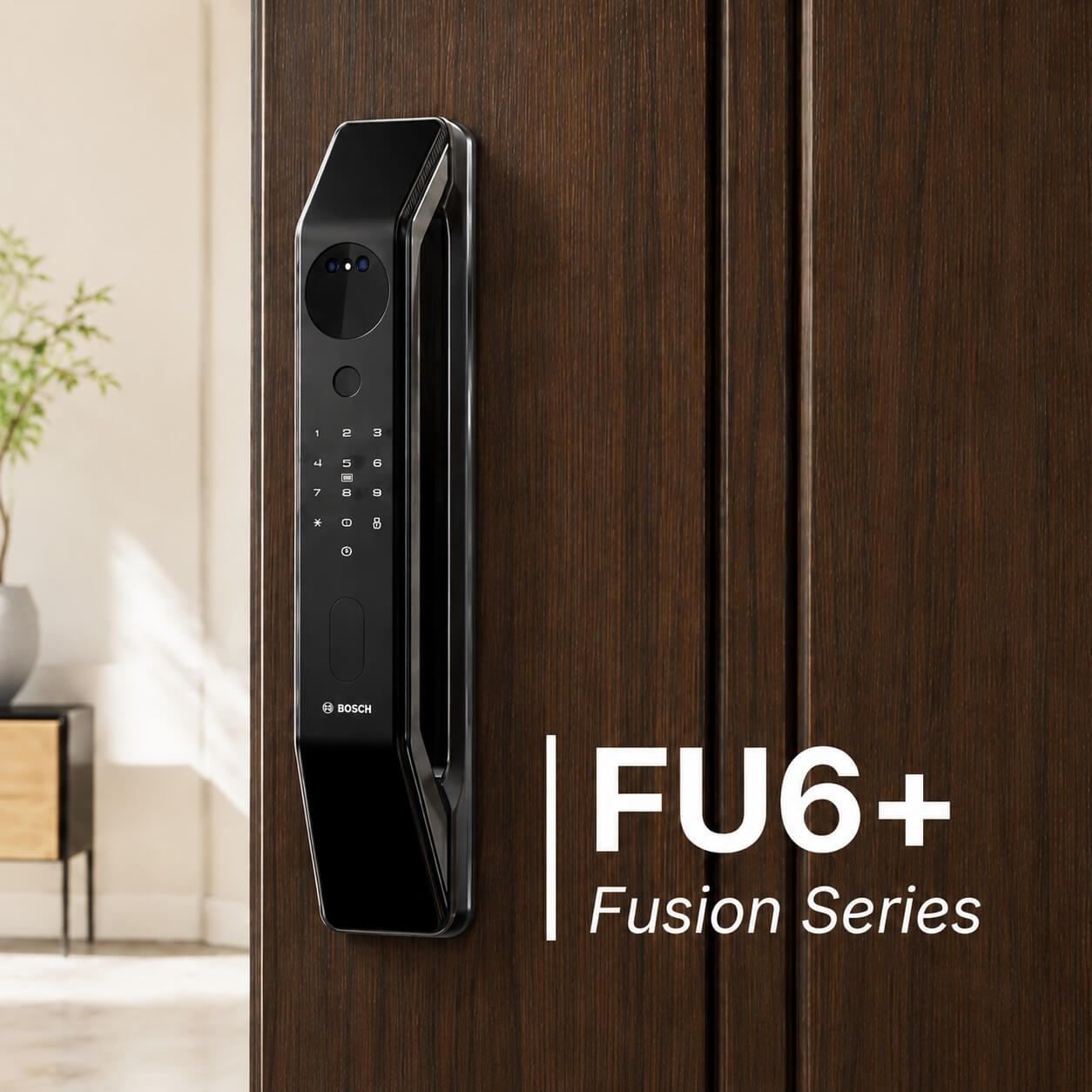
Bosch FU6 Plus
The Bosch FU6 Plus smart fingerprint door lock is designed for homeowners who want more than basic fingerprint access.
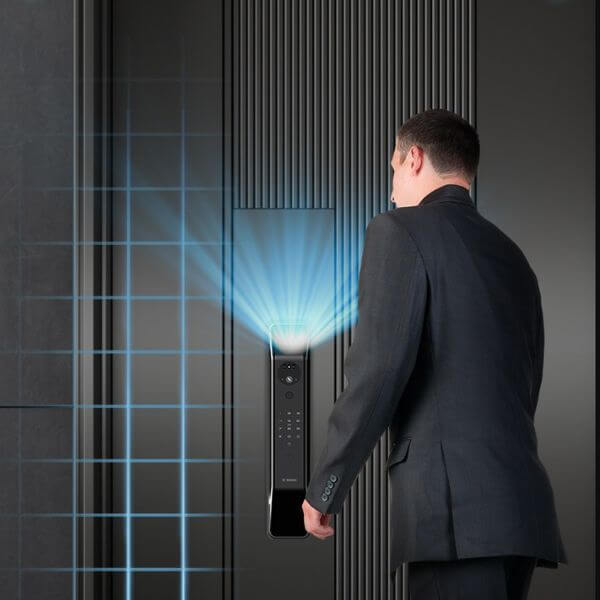
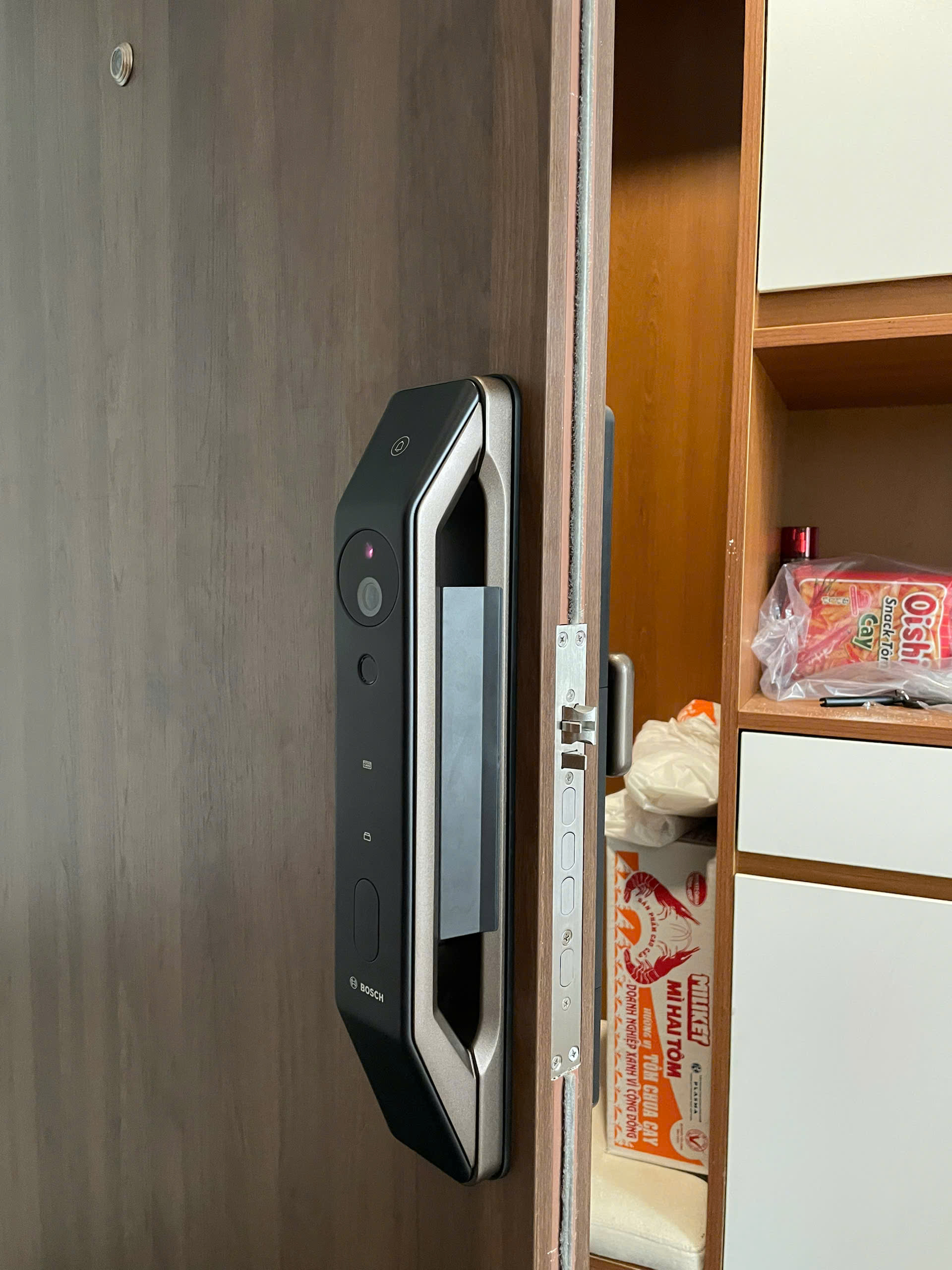
Its push-pull handle integrates with a modern lock body, while the fingerprint sensor is positioned beneath the handle for convenient operation. In addition to fingerprint authentication, the FU6 Plus offers 3D facial recognition, PIN codes, RFID cards, mechanical keys, and app-based access.
The model also features a built-in camera, video communication capabilities, and security alerts. These functions make Bosch FU6 Plus an attractive option for households that want to manage both door access and visitor communication through one device.
Bosch FU8 Plus
The Bosch FU8 Plus biometric smart door lock stands out for its range of biometric authentication methods.
Alongside fingerprint recognition and 3D facial recognition, the model supports palm vein recognition, giving users another way to authenticate without entering a password or using a key. Additional access options include PIN codes, RFID cards, mechanical keys, and the Tuya app.
Its push-pull design is available in Black and Red Bronze, while features such as virtual passwords, tamper alerts, and user management provide additional control over residential access.
Bosch FU8 Plus is especially worth considering for homeowners who want multiple biometric unlocking options in a single fingerprint electronic door lock.

Bosch EL600VF
The Bosch EL600VF fingerprint smart lock combines fingerprint authentication with facial recognition and connected access features.
The model features a modern push-pull design with a concealed fingerprint sensor beneath the handle. It supports Face ID, fingerprint access, PIN codes, RFID cards, mechanical keys, and Tuya app control.
Video calling is another notable feature, allowing homeowners to communicate with visitors through the supported system. The lock also includes a rechargeable lithium battery, low-battery warnings, and tamper alerts.
For families looking for a fingerprint entry door lock that combines biometric access with visitor communication, Bosch EL600VF is a strong option to explore.

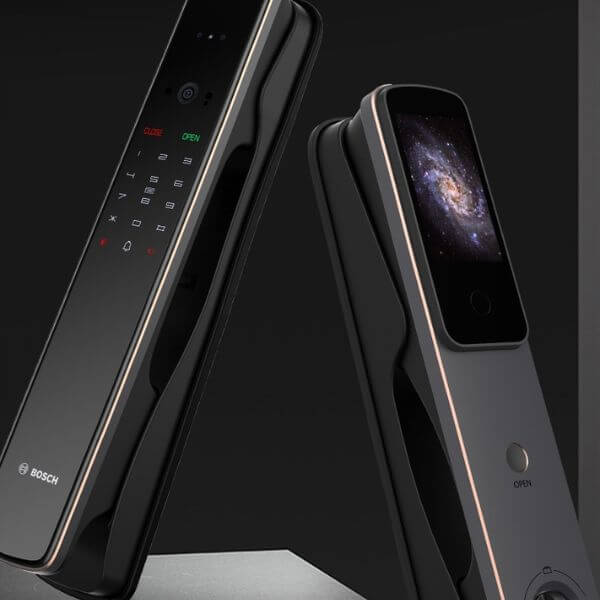
Bosch EL800VF
The Bosch EL800VF fingerprint smart door lock is aimed at homeowners seeking a premium combination of biometric access, connected features, and modern door hardware.
The model supports fingerprint recognition, 3D facial recognition, PIN codes, RFID cards, mechanical keys, and app-based access. It also incorporates video communication and a built-in doorbell function.
Its automatic locking mechanism adds convenience by helping secure the door after closing, while the rechargeable lithium battery and low-battery warning system support everyday operation.
With its full-length design and broad range of access methods, Bosch EL800VF is worth considering for villas, upscale apartments, and modern residential entrances.
What Happens If a Fingerprint Smart Lock Runs Out of Battery
When a fingerprint lock’s battery becomes depleted, normal electronic authentication may stop working.
The available recovery method depends on the product. Some models include a mechanical emergency key, an external emergency power connection, or another manufacturer-defined backup procedure.
Low-battery alerts may provide advance warning, but users should not rely on those alerts alone.
Regular battery checks and familiarity with the lock’s emergency unlocking instructions help reduce the risk of being unable to enter.
Where to Buy Fingerprint Smart Locks
Choosing a suitable fingerprint smart lock involves more than comparing product appearance or biometric features. The lock must also meet the household’s access requirements and the door’s technical conditions.
Bosch Smart Lock provides Bosch electronic door lock options for customers looking to upgrade residential access security and everyday convenience.
Customers can explore different lock designs, including fingerprint-enabled lever-handle and push-pull models, and compare their available features before purchasing.
Bosch Smart Lock can assist customers with:
- Product selection: Comparing Bosch fingerprint smart locks according to access requirements, design preferences, and budget.
- Door compatibility: Reviewing door thickness, frame dimensions, opening direction, and installation requirements.
- New installation and lock replacement: Identifying suitable options for newly installed doors or upgrades from existing locks.
- On-site installation: Supporting the installation process according to the selected product and door conditions.
- Technical assistance: Providing guidance on operation, fingerprint enrollment, and product maintenance.
For more information about available products, visit Bosch Smart Lock via Whatsapp 0979 146 482 or browse the Bosch smart lock collection.
Frequently Asked Questions About Fingerprint Smart Locks
Can someone unlock a fingerprint smart lock with an unregistered fingerprint
Under normal operation, an unregistered fingerprint should not be accepted unless it incorrectly matches a stored template. The likelihood of false acceptance depends on the sensor, recognition algorithm, and security configuration.
Can fingerprint smart locks recognize wet fingers
Recognition may be less reliable when fingers or sensor surfaces are wet. Performance depends on the sensor technology and the specific lock.
Do fingerprint smart locks store fingerprint images
Many biometric systems store processed fingerprint templates rather than ordinary images. However, storage methods and data-protection measures vary between products.
Can multiple family members use the same fingerprint smart lock
Yes, many models support enrollment of multiple authorized users. The maximum number of fingerprints and available user-management functions depend on the model.
Do fingerprint smart locks automatically lock the door
Some models support automatic locking, but this is not universal. The actual behavior depends on the locking mechanism, configuration, and installation.
Is a fingerprint smart lock better than a password lock
A fingerprint smart lock is often more convenient because users do not need to remember or enter a PIN for everyday access. However, security depends on the complete system, not simply whether it uses fingerprints or passwords.
A fingerprint smart lock works by scanning and verifying registered fingerprint data before authorizing the door to unlock. It offers convenient keyless access, but its effectiveness depends on biometric recognition quality, mechanical security, and proper installation.
For homeowners considering a Bosch fingerprint smart lock, Bosch Smart Lock offers product information, selection guidance, and installation support to help identify a suitable solution for their doors.
The best Bosch fingerprint smart lock depends on your budget, preferred unlocking methods, and door design. For straightforward fingerprint access, Bosch ID20 and ID30 are practical lever-handle options. If you prefer a modern push-pull design with additional features such as facial recognition, app control, or video communication, Bosch FU6 Plus, FU8 Plus, EL600VF, and EL800VF are worth considering.